Measure a PDF online, free
Distance, length and area on any PDF drawing. No signup. The file stays in your browser.
How to measure on a PDF
A PDF is just a picture of a drawing until you tell the software what a printed length means in the real world. That is the scale, and it is the one step that decides whether your measurements are right. Here is the whole process in our tool.
Open your PDF
Drop the file on the sheet area or choose Open PDF. Nothing is uploaded: the file is read in your browser. No plan handy? Use Try a sample plan to see how it works.
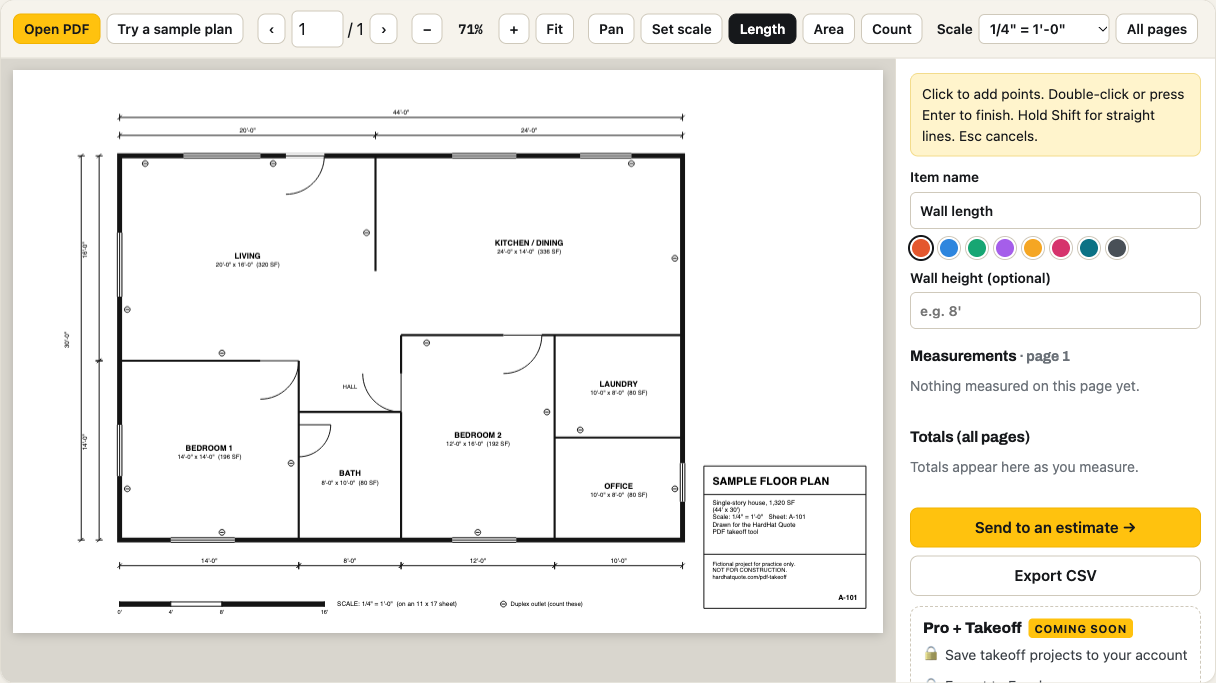
Set the scale
Pick the scale printed on the sheet, or use Set scale: click both ends of a dimension you can read and type its real length. Every measurement depends on this step.
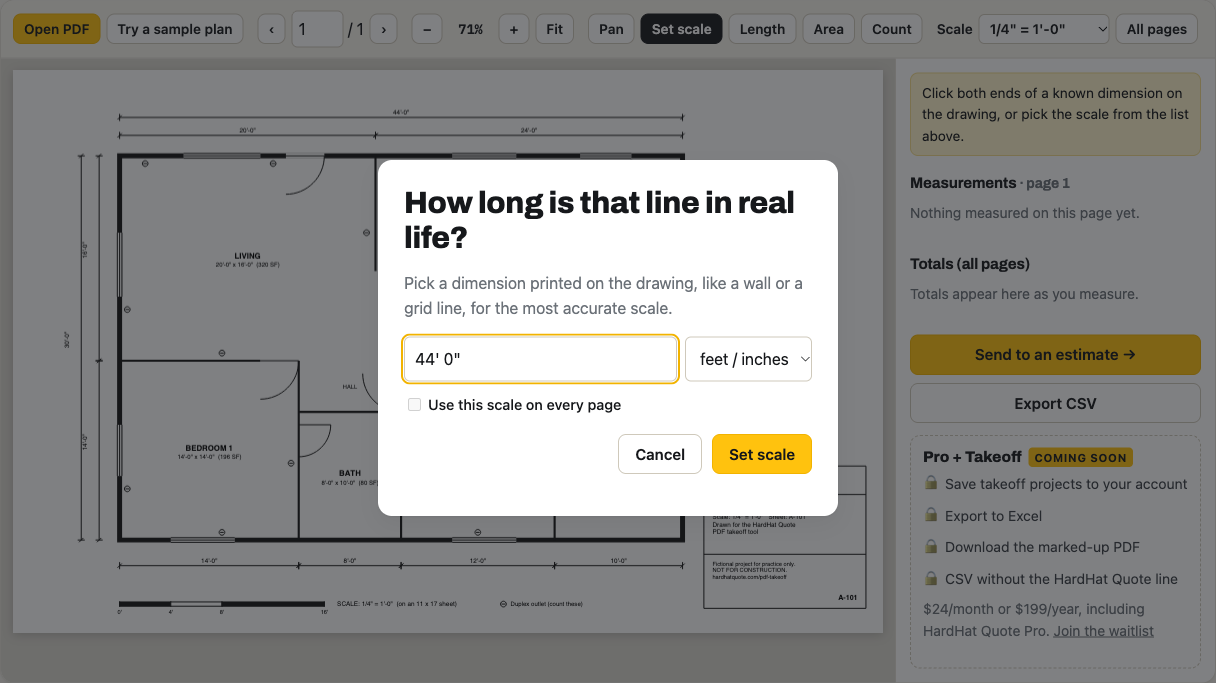
Measure a length or distance
Choose Length (shortcut L), click the start point, click each corner, and double-click or press Enter to finish. Hold Shift for a straight horizontal or vertical line.
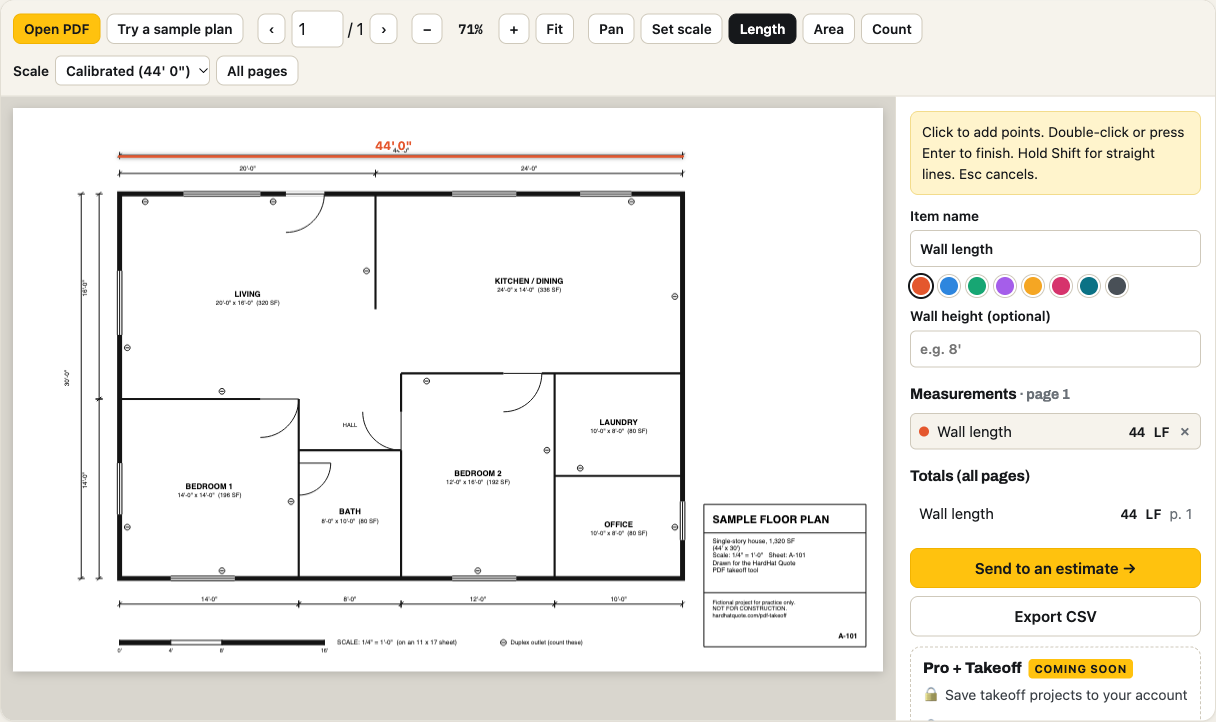
Measure an area
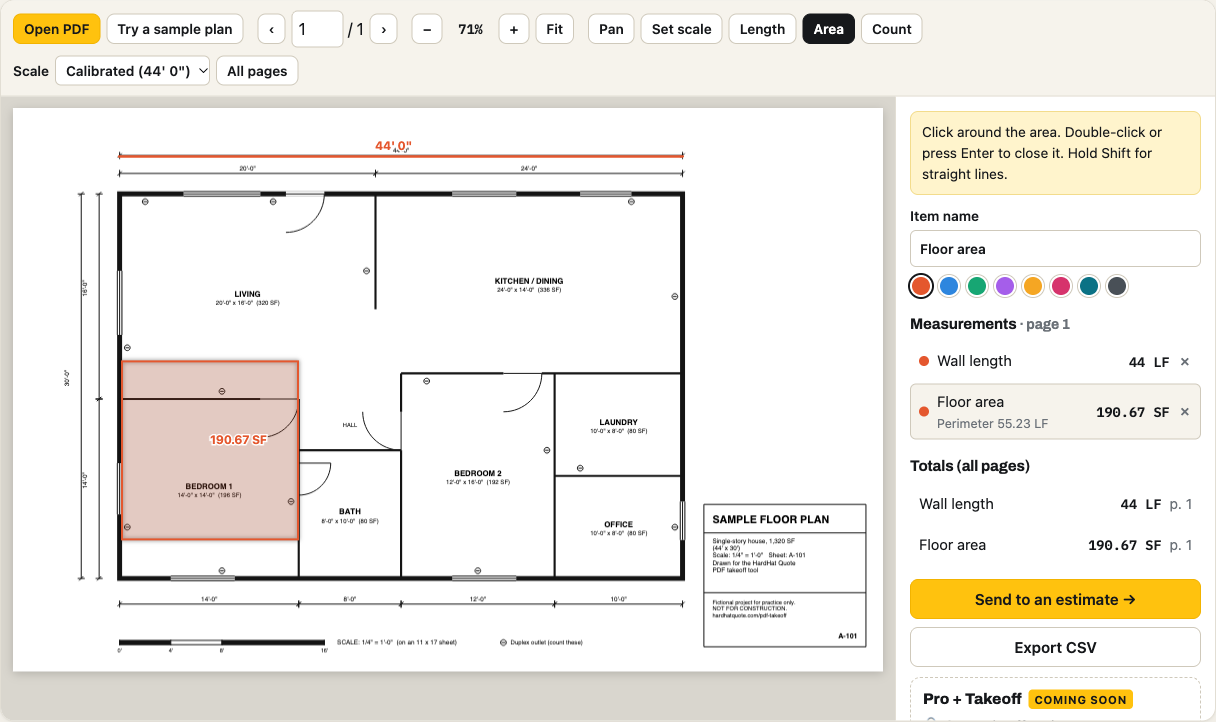
Choose Area (shortcut A) and click around the room or shape. The tool shows the area as you draw. Name the item so it appears in the totals.
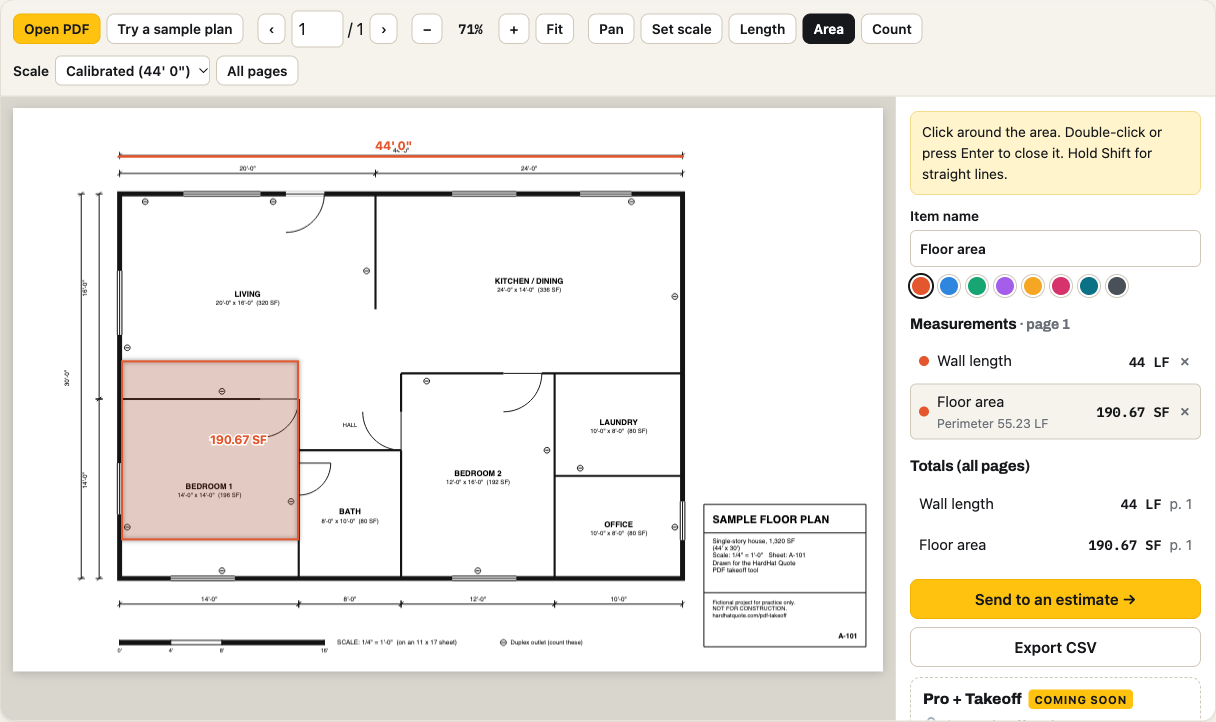
Copy or export the numbers
Totals add up across pages. Export a CSV for a spreadsheet, or send the quantities into an estimate and add your prices.
How do you measure distance on a PDF?
Calibrate once, then click. The Length tool measures the straight distance between two points, or the total of a path with several clicks. Use it for walls, pipe runs, fence lines or any dimension you cannot read off the sheet. Keep a known dimension in view so you can sanity-check the result.
Why is my PDF measurement off?
- The scale was not set per page. Each sheet in a set can have a different scale. This tool keeps a scale for every page.
- The PDF was resized when it was printed or scanned. A "fit to page" print shrinks the drawing, so the printed scale is wrong. Calibrate against a dimension written on the sheet instead.
- The sheet is not drawn to scale. Details marked "not to scale" cannot be measured reliably.
Frequently asked questions
How do I measure distance on a PDF?
Open the PDF in the tool, set the scale so a known length matches the drawing, pick the Length tool and click the start and end points. The distance appears as you click, in feet and inches or metric. Add more clicks to measure a path with corners.
Is this PDF measuring tool really free?
Yes. Length and area measuring, counts, the scale tools and the CSV export are free with no account and no time limit.
Is my PDF uploaded to a server?
No. The file is opened inside your browser tab and never leaves your computer. Your measurements are kept in this browser so they are still there if you reopen the same file.
Why does my measurement look wrong?
Almost always the scale. A PDF has no built-in real-world scale unless it was printed from CAD at a known size, and scanned or resized sheets are off. Click the two ends of a printed dimension, type its length, and the tool re-calibrates that page. Check one wall you know before measuring the rest.
Can I measure area on a PDF?
Yes. Choose Area and click around the shape, then double-click or press Enter to finish. The area is shown in square feet or square meters, and you can name the item and add it to the totals.
Does it work on a Mac, iPad or Chromebook?
Yes. It runs in the browser on macOS, Windows, iPadOS and ChromeOS. Nothing to install.
What if I need Bluebeam-style markup and team sessions?
This tool measures and totals quantities; it does not do shared markup sessions. See the comparison of options on our Bluebeam for Mac page.
Doing a full takeoff for a bid?
Our PDF takeoff tool page covers counts, totals across sheets and sending quantities to an estimate. Using a Mac? See Bluebeam for Mac: your options.